The full course takes about 60 minutes, but you can finish it in parts. You do not need to wait for classmates, nor do you need to know how to code first. Paper, a pen, and a situation you are willing to learn about are enough to begin.
First, read the cases and diagrams below. When you see “Pause,” write a few sentences. You can check the self-review tips for each section yourself. If you need advice, send a summary of the actions you are willing to share to your teacher. For online lectures, you can also use thescreen-share version。
Markers are saved only in this browser and not uploaded; they do not mean the project is complete.
Part 1 · About 16 minutes
Start with care
Find a situation you are willing to understand, write down your guess, and keep it to ask the other person later.
01 / 17 · About 2 minutes
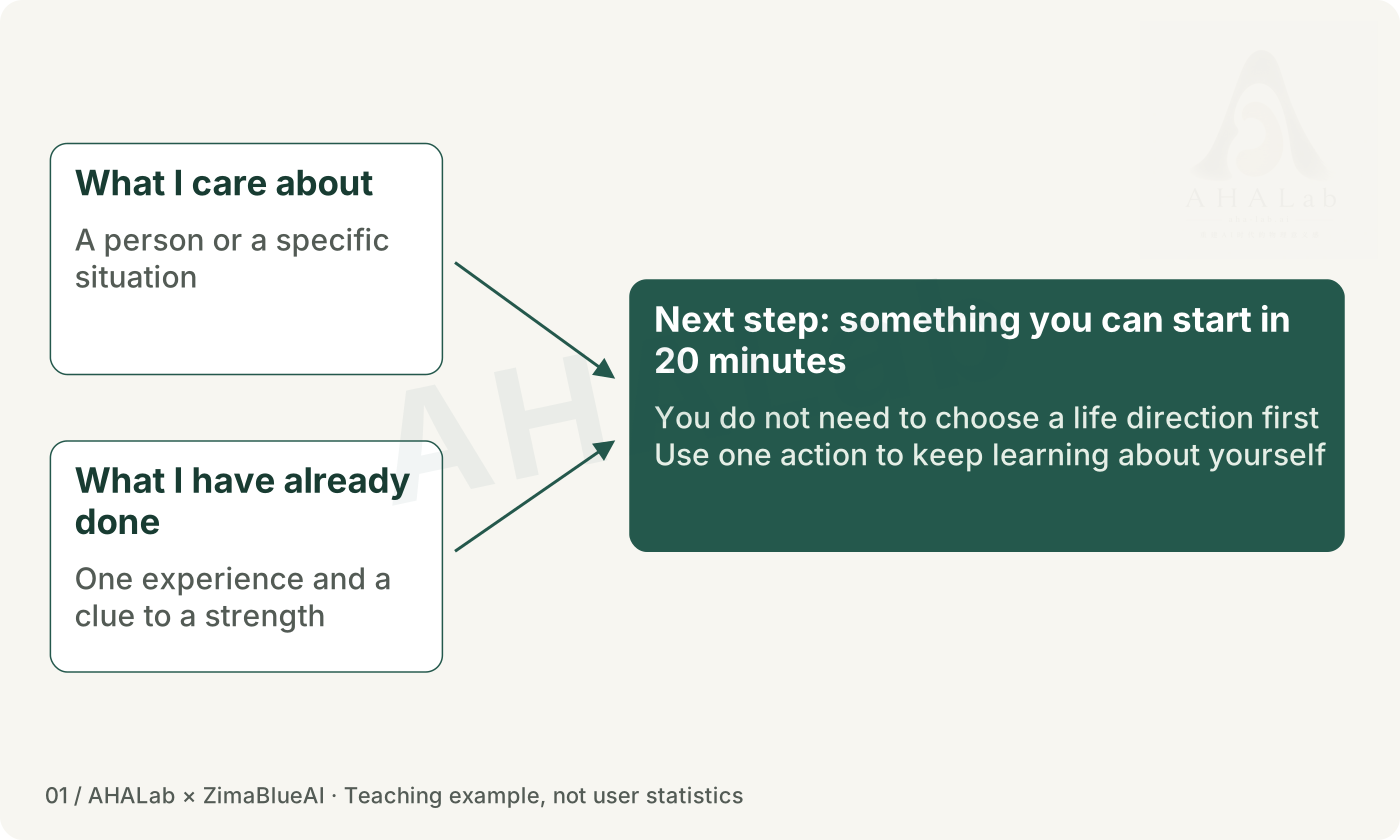
What would you like to take one more step towards?
You do not need a grand plan to begin. Think of something small you have noticed recently, and something small you have managed to do. We will follow the story of Shiguang Huaxia, then return to an idea of your own.
Teaching diagram · Click to enlarge
Pause here and write a few lines
Write down a situation you would be willing to spend 20 minutes exploring. You can skip the personal reflection; there is no need to share a private experience.
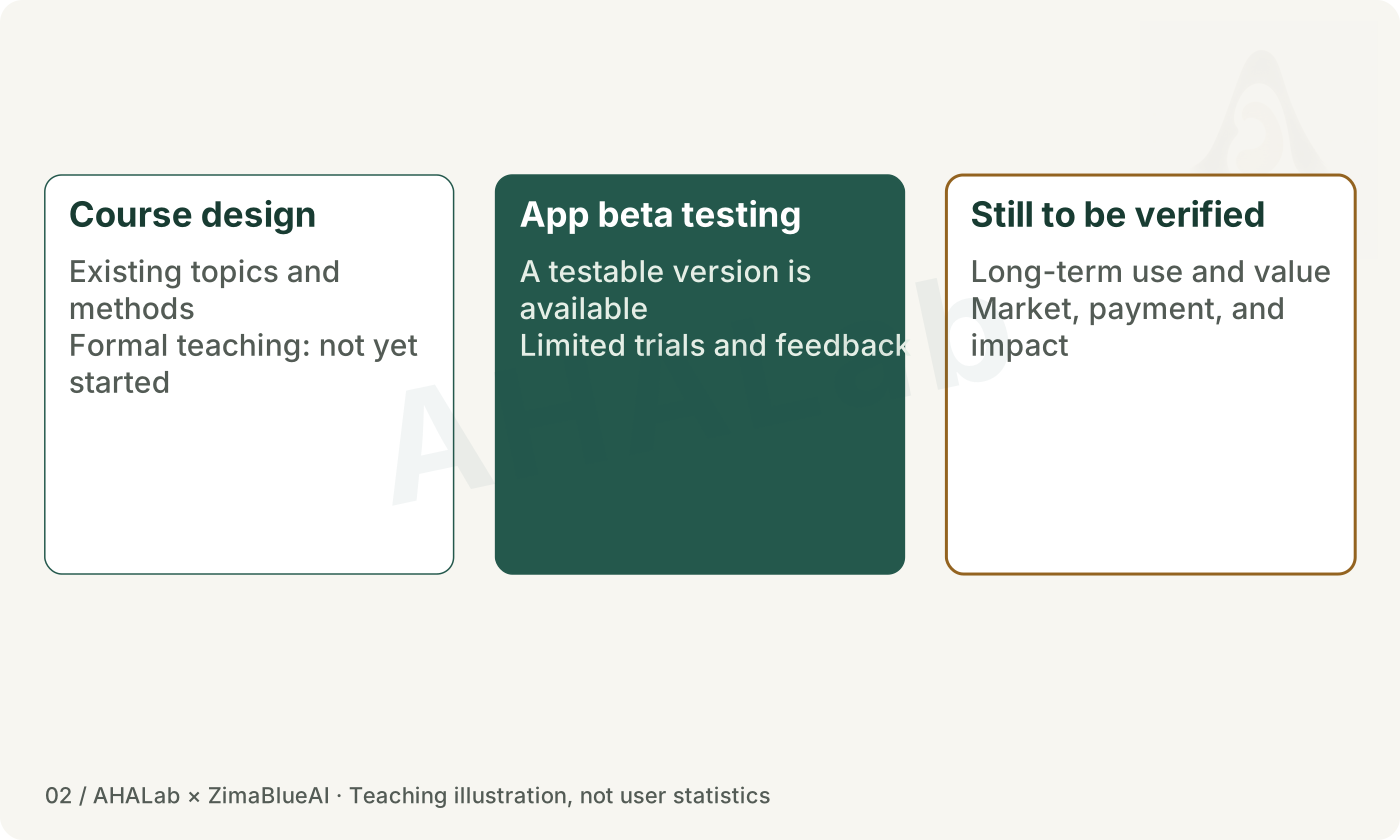
This project is still finding its way. The course about later life has been designed but has not yet been taught. A beta version of the app exists, and a few people have tried it. Its lasting value, market and willingness to pay remain untested.
Teaching diagram · Click to enlarge
Pause here and write a few lines
Keep three different claims apart: a design exists; someone has tried it; people will keep using it.
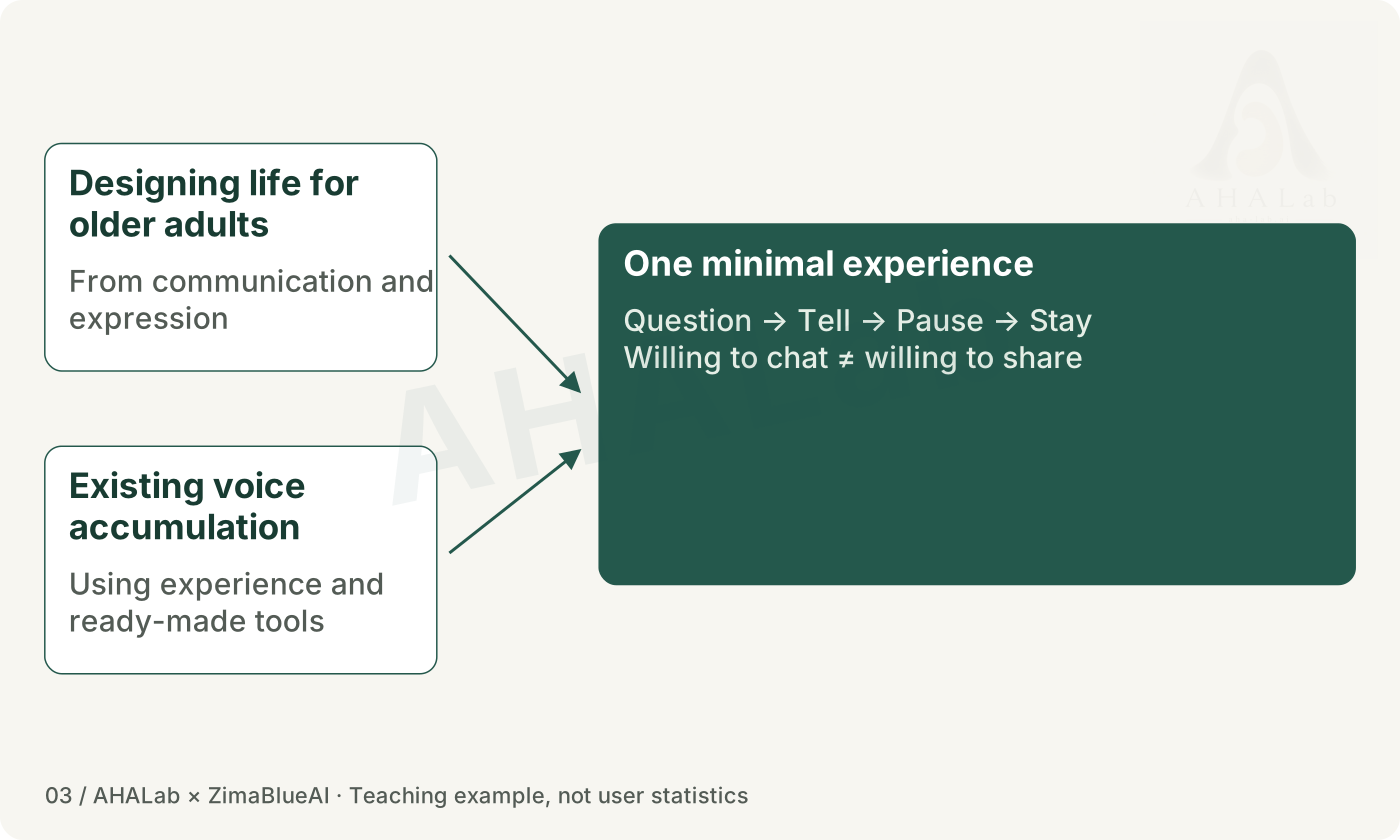
Concern about conversation was the starting point, but making an app meant choosing a smaller question. First, make one round of asking, speaking, pausing and saving work smoothly. Then consider whether to continue. Being willing to talk does not mean being willing to let someone else read it.
Teaching diagram · Click to enlarge
Pause here and write a few lines
Choose one small experience to try for your own idea. Write down what you need the person's agreement for.
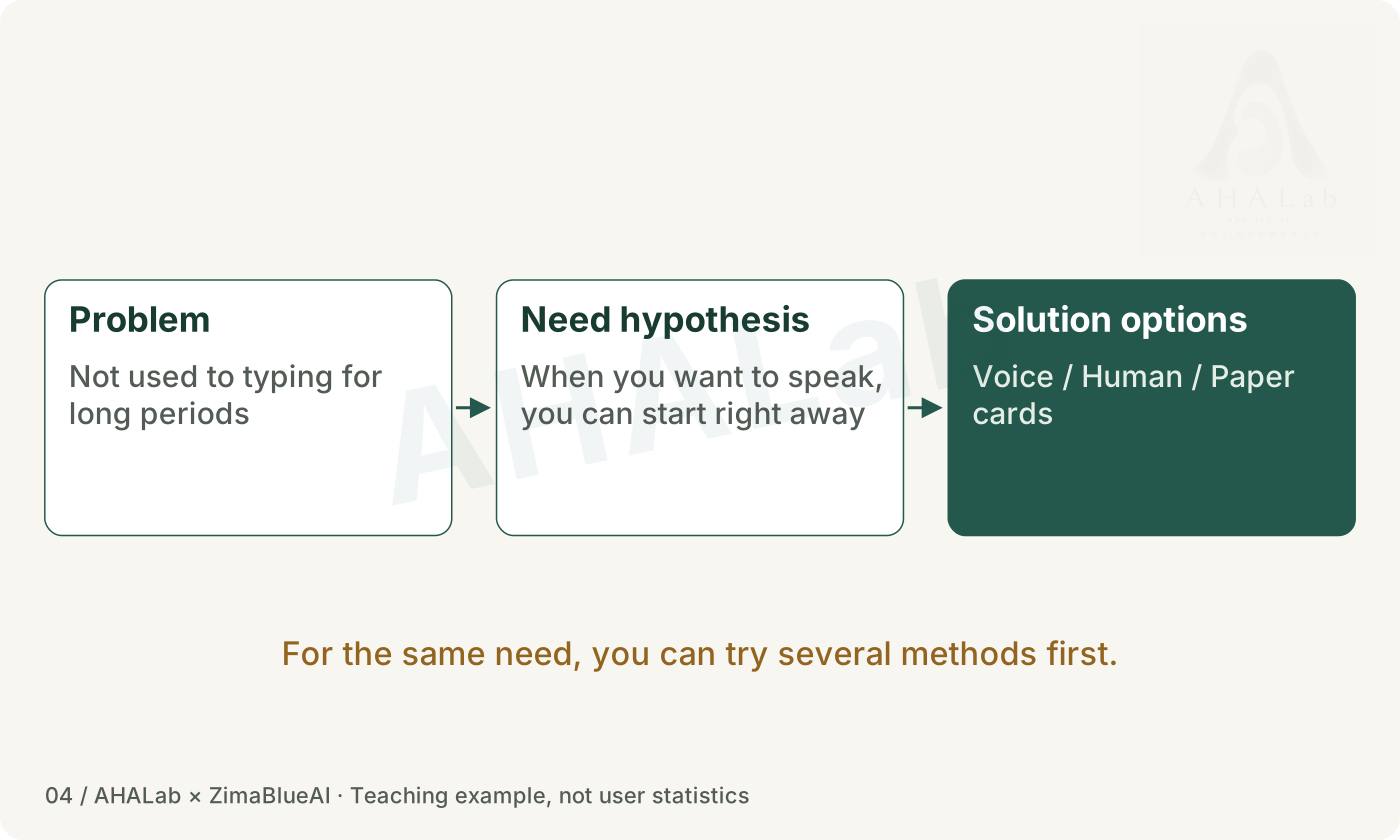
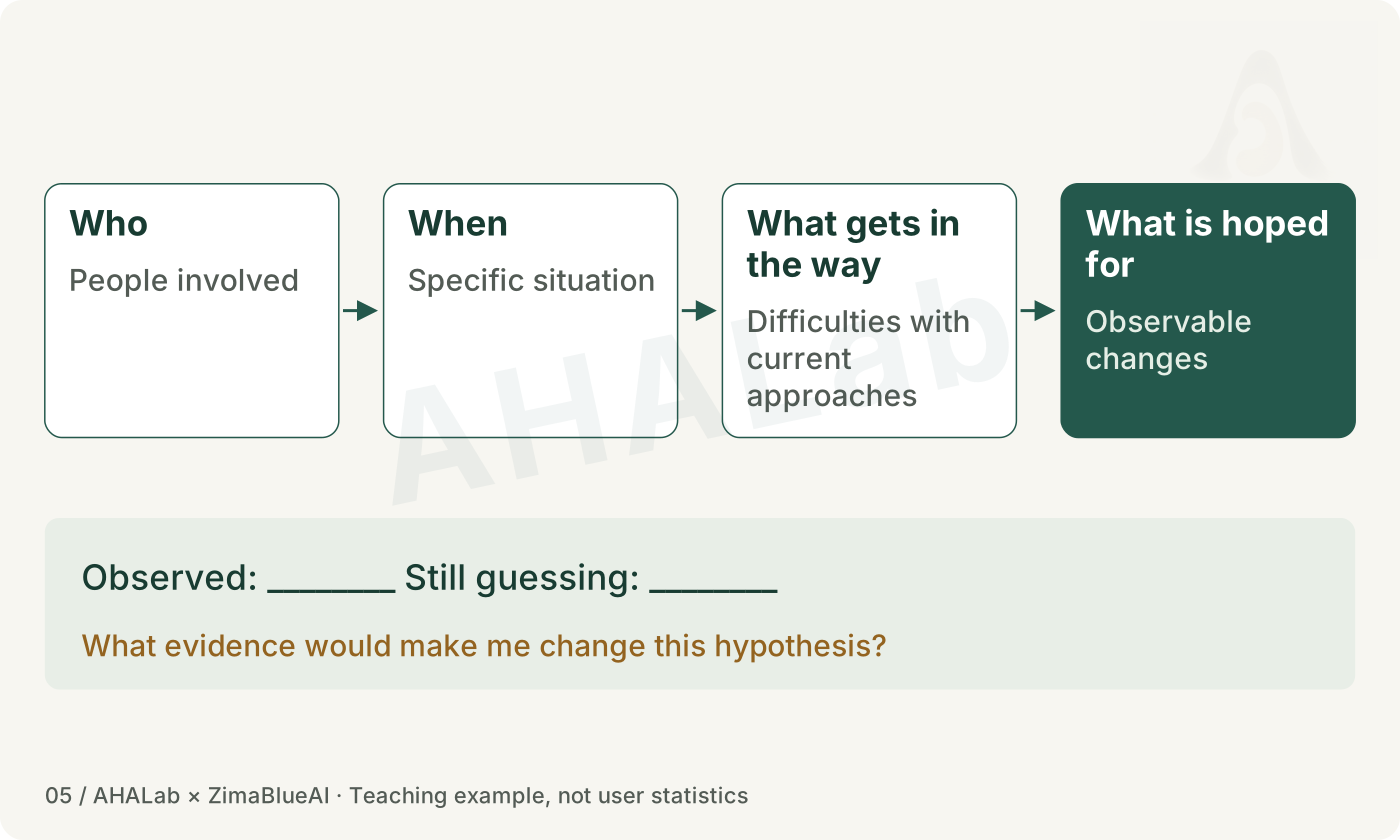
Saying 'make an app' already chooses a solution. Take one step back: what is happening, what is getting in the person's way, and what would they like to change? Separating facts, constraints and guesses may reveal a much smaller way to help.
Teaching diagram · Click to enlarge
Pause here and write a few lines
Rewrite the problem as: who, in what situation, faces what difficulty, and hopes for what change?
Turn what you noticed into a question you can test
Write down what you think the person needs. Circle anything you do not yet have evidence for. You do not need to wait for classmates to be online. Question the idea from another angle yourself, or later invite someone who wants to take part.
Teaching diagram · Click to enlarge
Pause here and write a few lines
Spend about 5 minutes on action card A. Mark one assumption and write down something that could show it is wrong.
Have you replaced 'everyone' and 'all people need this' with a person and a situation? If you have not observed it, have you clearly marked it as an idea to check?
First clarify what you want to care for and how your existing experience can help, then tell the AI what to do and how to check it.
06 / 17 · About 3 minutes
What you protect shapes the choices you make
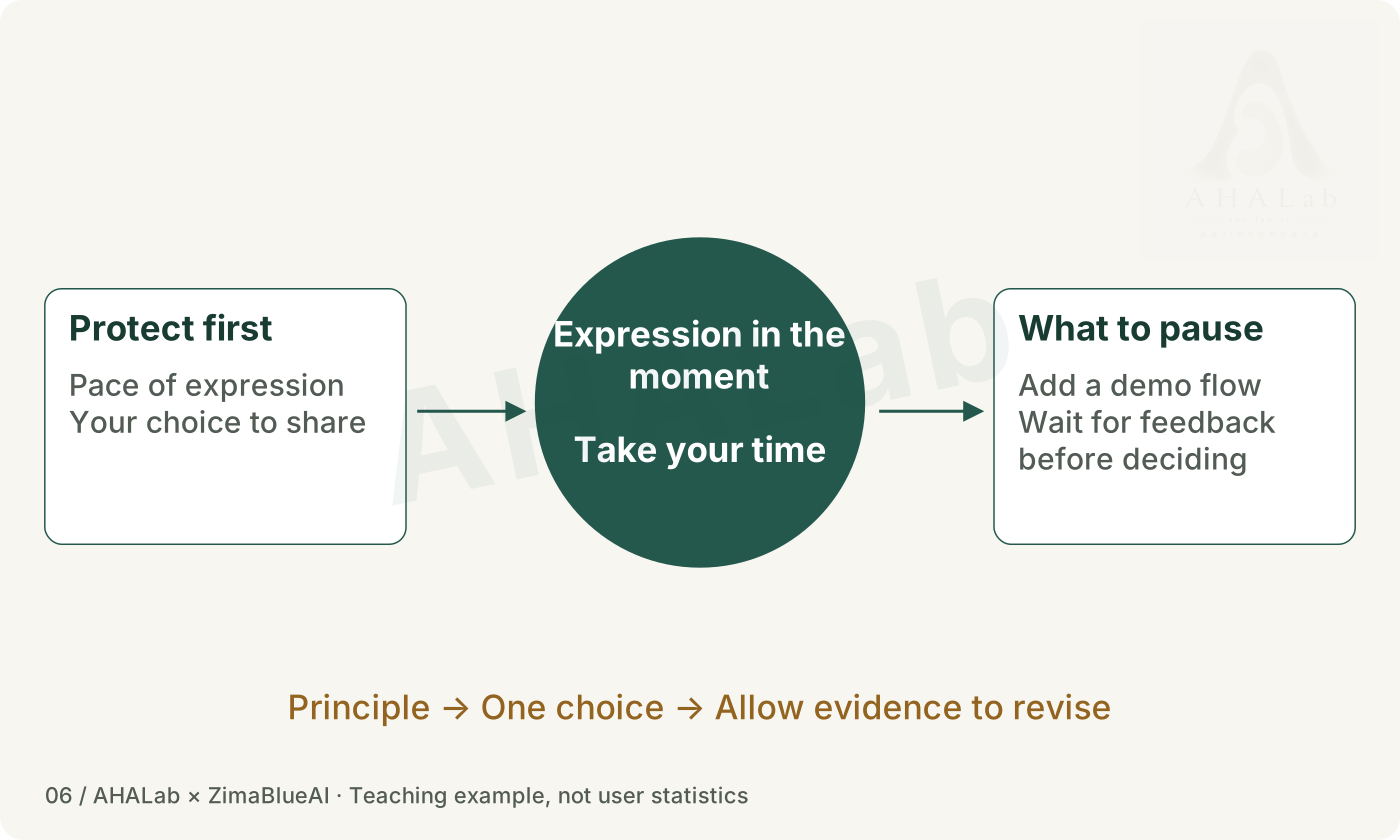
During development, Shiguang Huaxia faced a choice: add more sharing and page-design features, or first protect the pace of conversation? For now, the choice is to let people talk slowly. That is a decision by the creator, and new evidence may change it.
Teaching diagram · Click to enlarge
Pause here and write a few lines
Write one principle for your idea. Explain what it leads you to do first, and what you will leave for later.
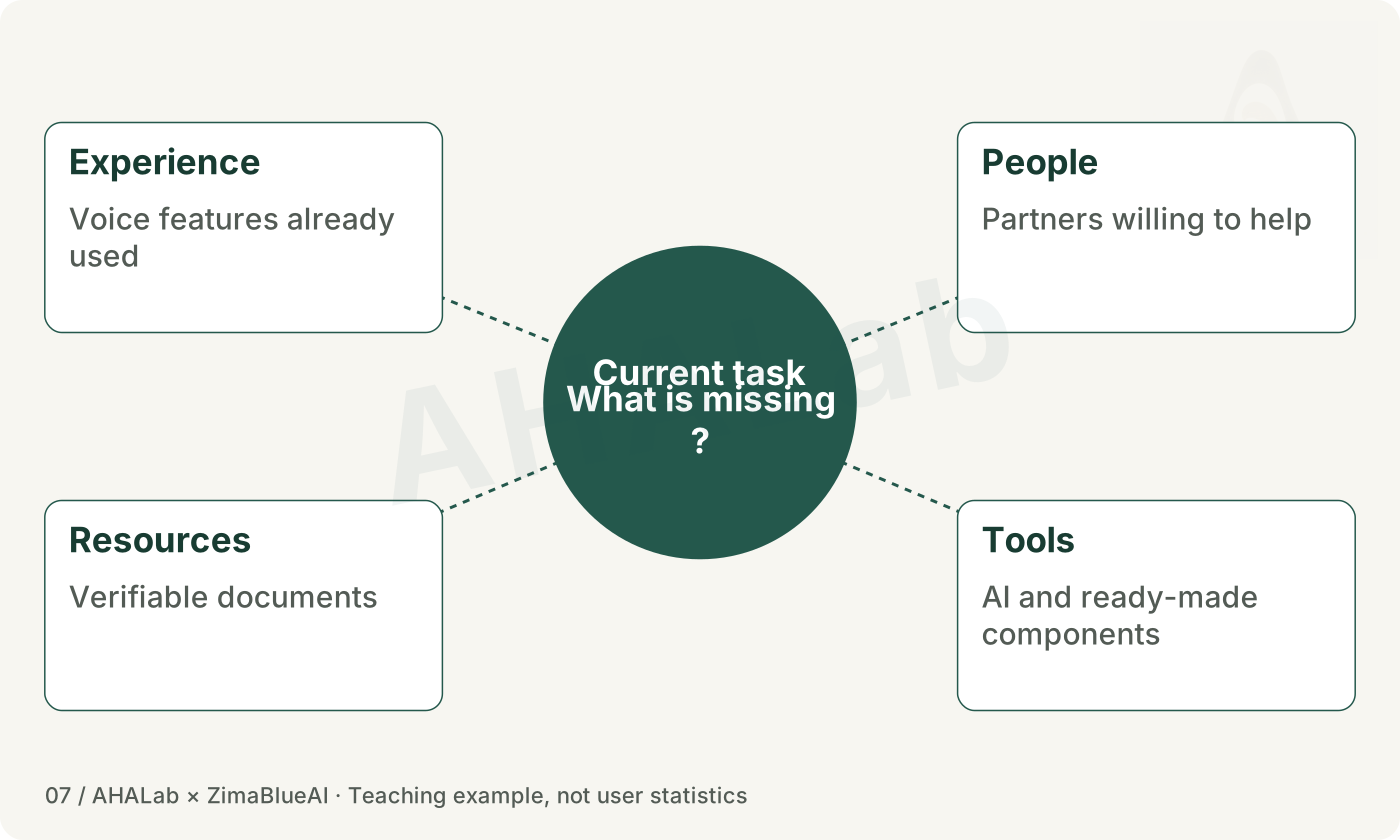
A quick first version often draws on things learned long before it. Experience with speech tools, people you can ask, documents you can check, and your own practice in listening, organising or making things can all help with the next step.
Teaching diagram · Click to enlarge
Pause here and write a few lines
List two resources you already have, one thing you do not know, and how you plan to find it out.
You can start before you know platform programming
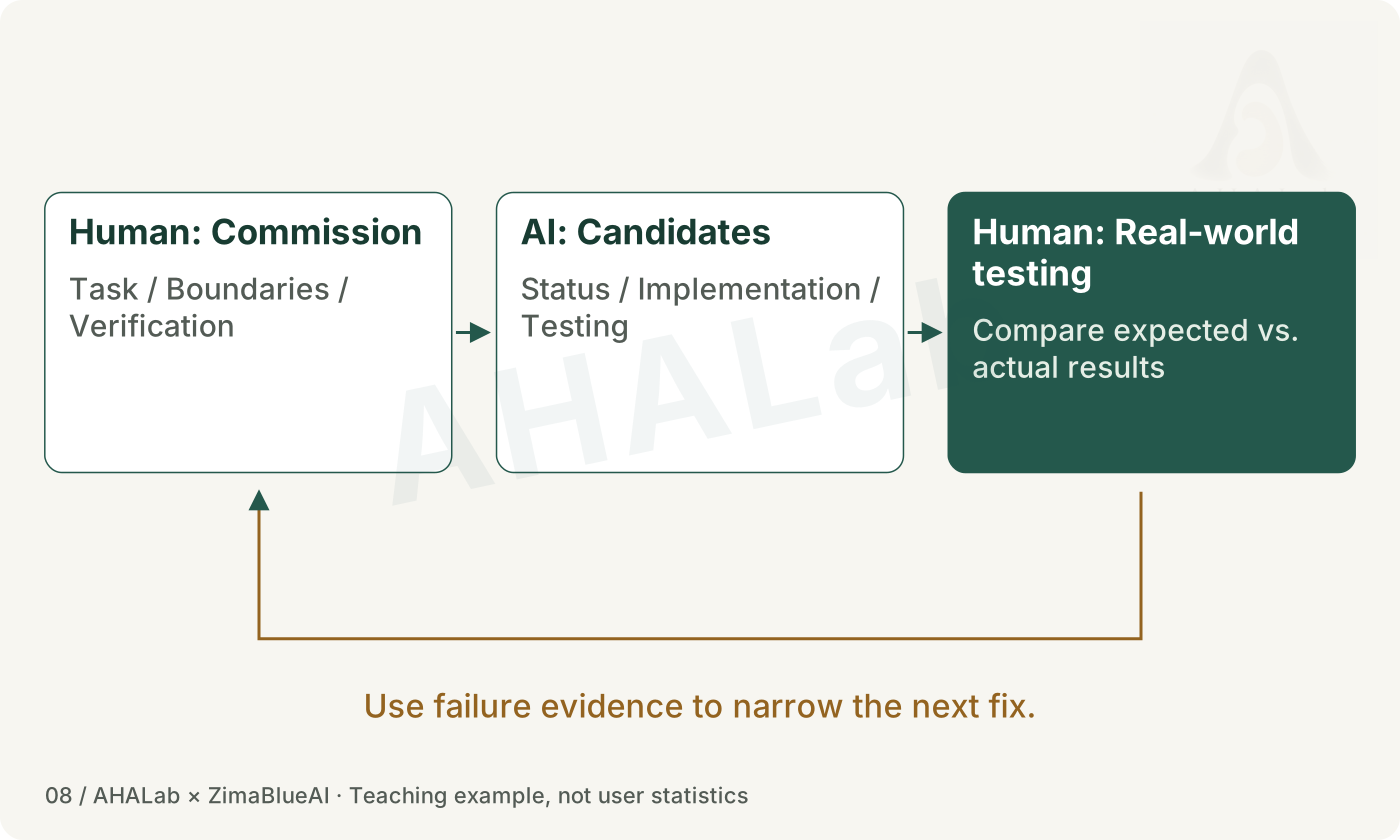
You can start a prototype with AI before learning all of platform programming. You still need to explain the task, its limits and how you will check it. Try the version AI produces on the device yourself.
Teaching diagram · Click to enlarge
Pause here and write a few lines
Write a small, clear request for AI. Include what is known, what is not known, the real constraints and one thing you will test yourself.
Go through the usage process yourself. If something fails, look for evidence. If data is involved, check consent, permissions, and recovery first.
09 / 17 · About 3 minutes
Progress comes from trying it again
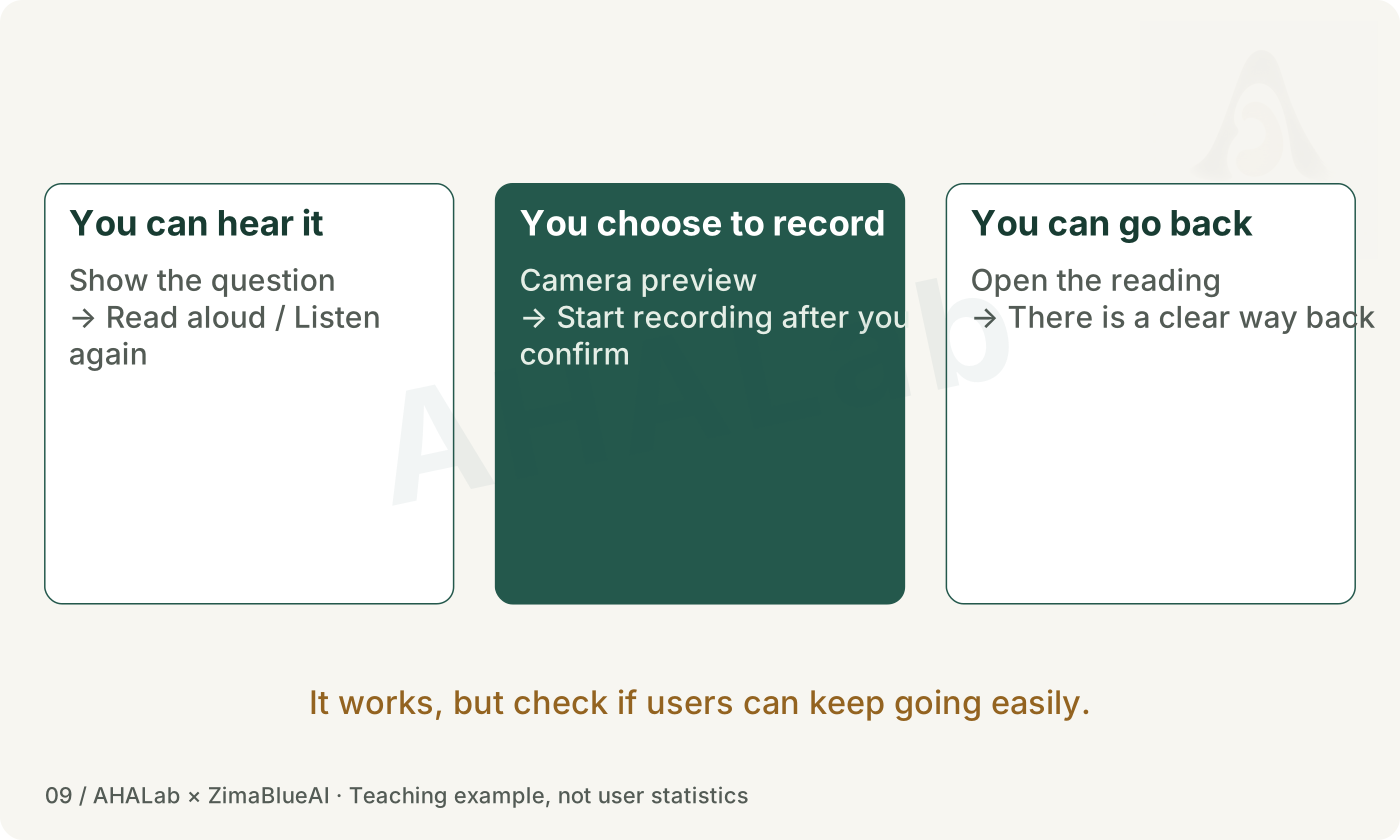
Real use reveals small obstacles: a question is not spoken aloud, opening the camera starts recording at once, or there is no obvious way back after reading. Such details can affect whether a person wants to continue. They need to be tried again and again.
Teaching diagram · Click to enlarge
Pause here and write a few lines
Walk through starting, pausing, saving and returning in your small prototype. If you do not have one, demonstrate it with paper cards.
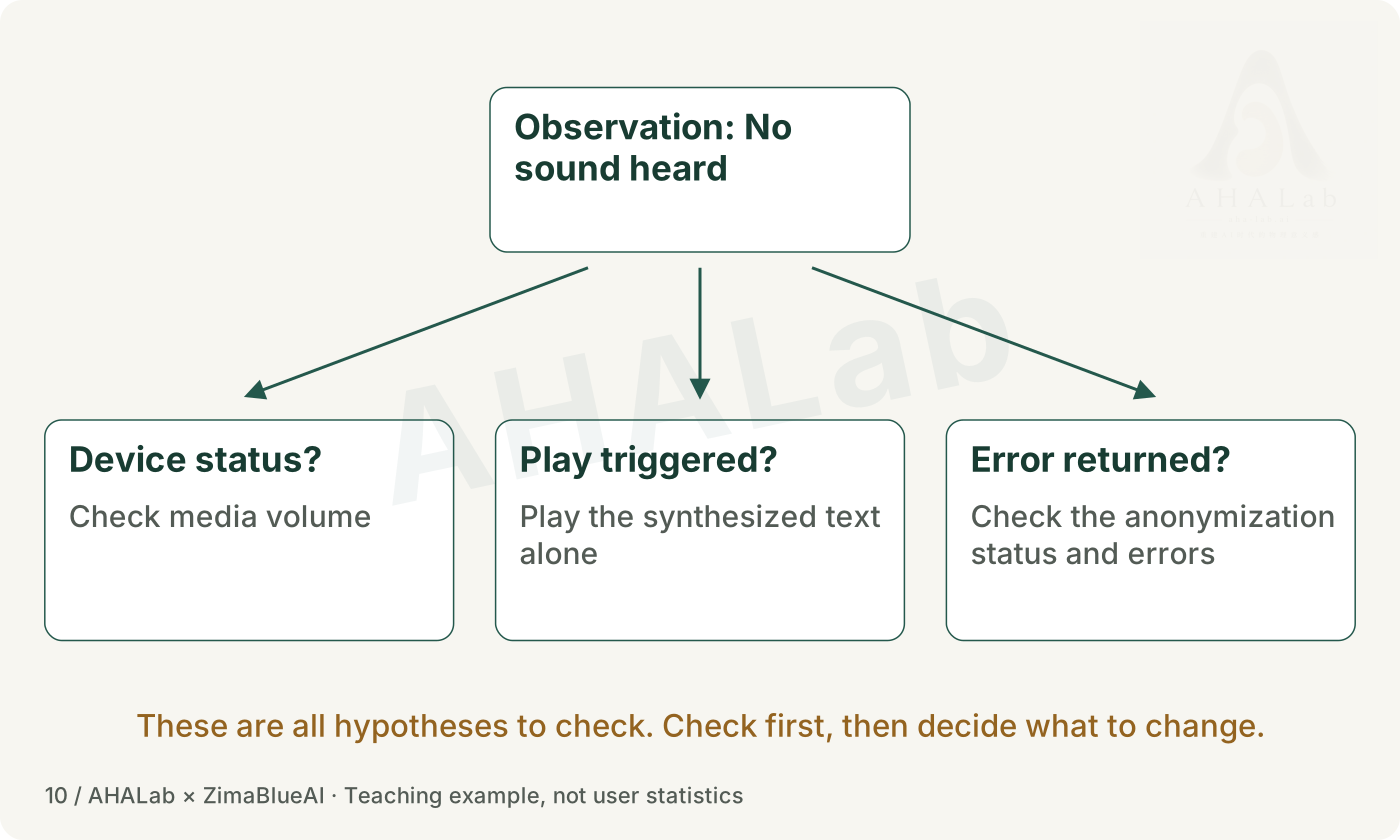
Treat 'no sound' as an observation first. Volume, the playback trigger and a service response are possible causes. Another instruction to 'fix it' may not help as much as one piece of evidence that rules out a guess.
Teaching diagram · Click to enlarge
Pause here and write a few lines
Spend about 4 minutes writing what is known, what is not known and the smallest useful check. Think first, then open the self-check.
For example, play a short piece of synthetic speech on its own and record whether playback starts or an error is returned. This is a reasoning exercise, not the known cause of the original fault.
A usable prototype still comes with responsibilities
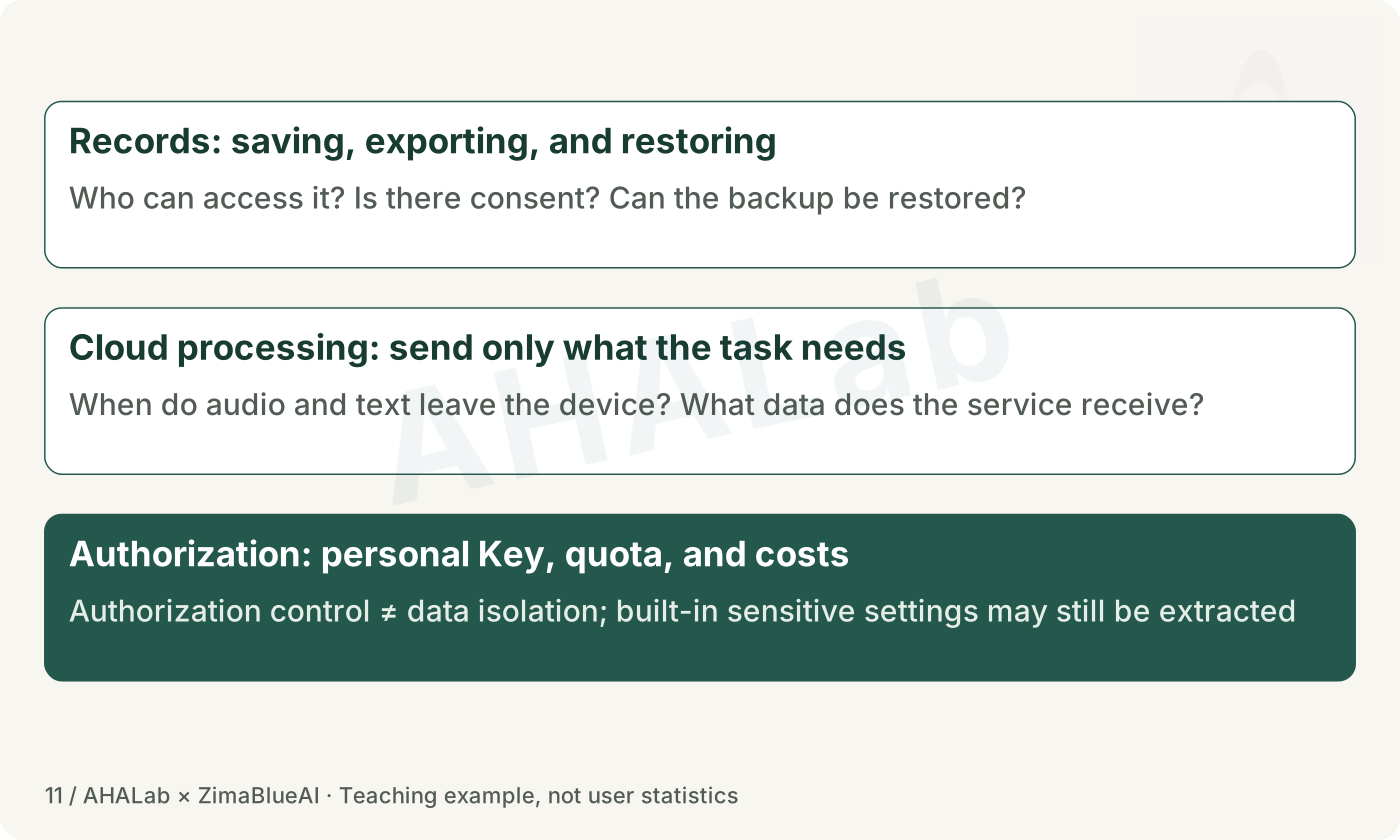
Once someone can try the app, you still need to know where information goes, who can access it and who pays. A personal API key can help manage access and limits, but keeping people's records separate requires other checks. A beta can still carry risks.
Teaching diagram · Click to enlarge
Pause here and write a few lines
Use made-up material to draw the saving and service-call process. Choose one piece of information not to collect, or one permission to limit.
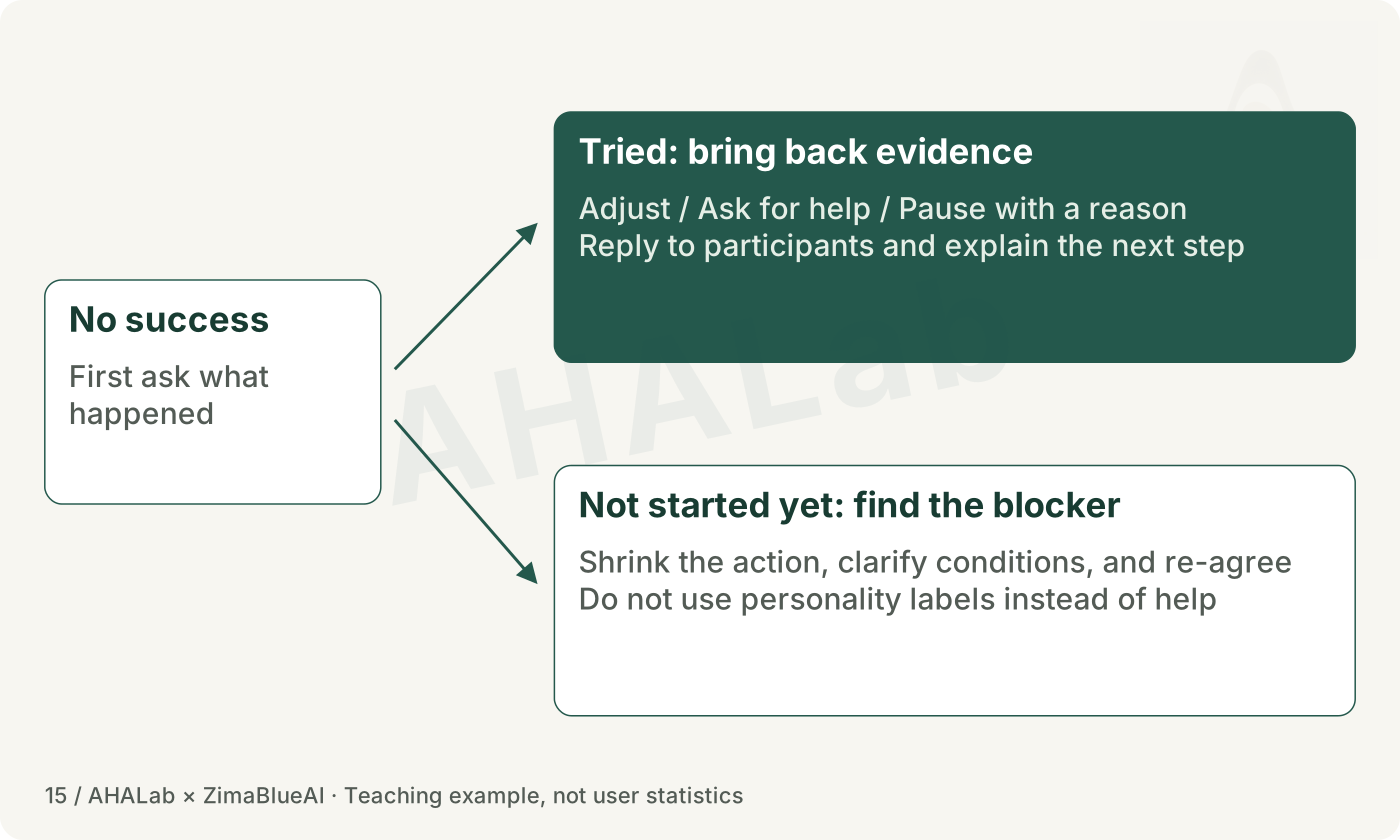
When you hear a suggestion, first ask what happened last time. Distinguish between an unresolved issue, a hard-to-find entry point, or a usage block, then plan the next step.
12 / 17 · About 3 minutes
Sending the installer is only part of delivery
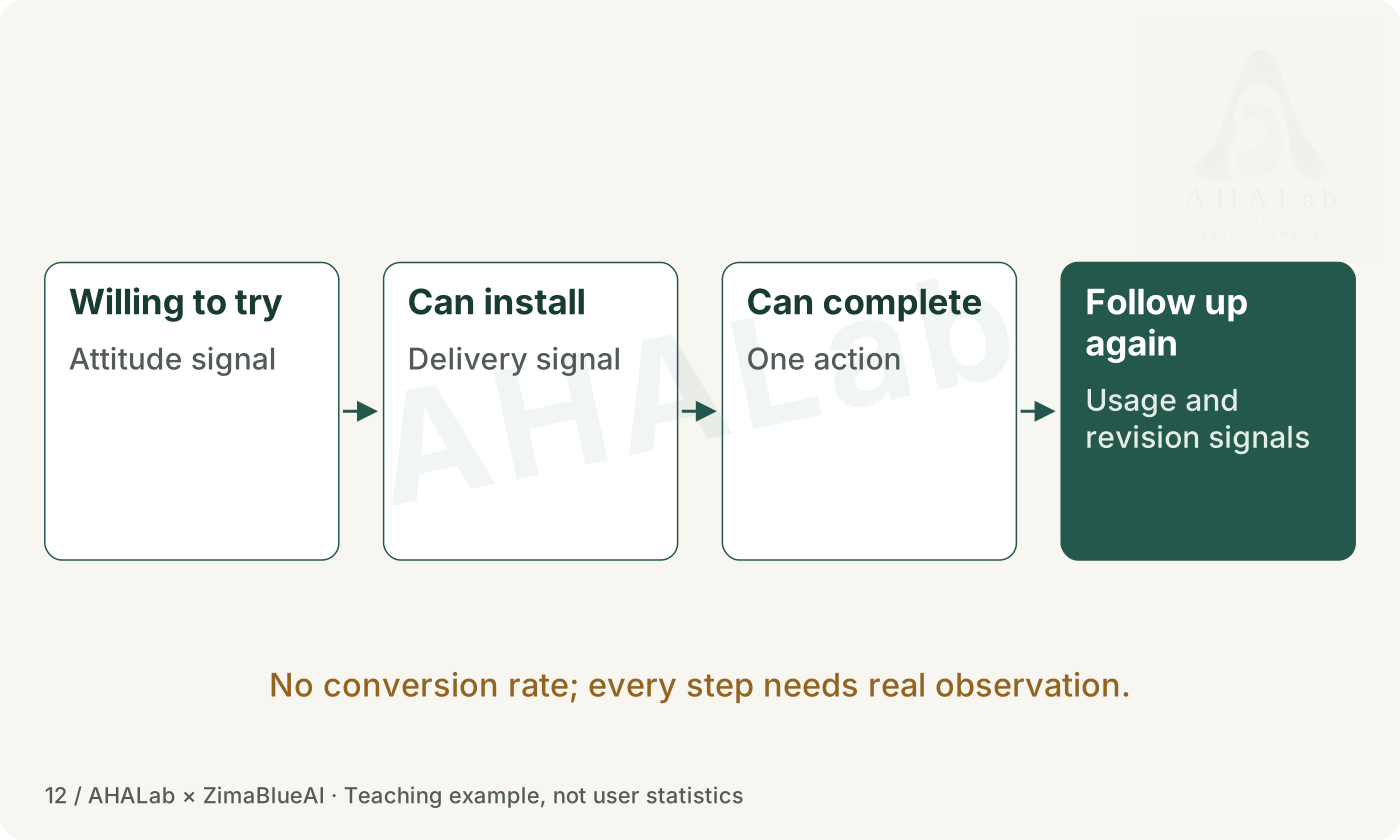
Sending an installation file does not mean the person has installed it, or knows where to begin. Invitation, installation, completing a small task and a follow-up are different things to observe.
Teaching diagram · Click to enlarge
Pause here and write a few lines
Draft an invitation that is easy to accept and easy to decline. Ask the person to try just one small task.
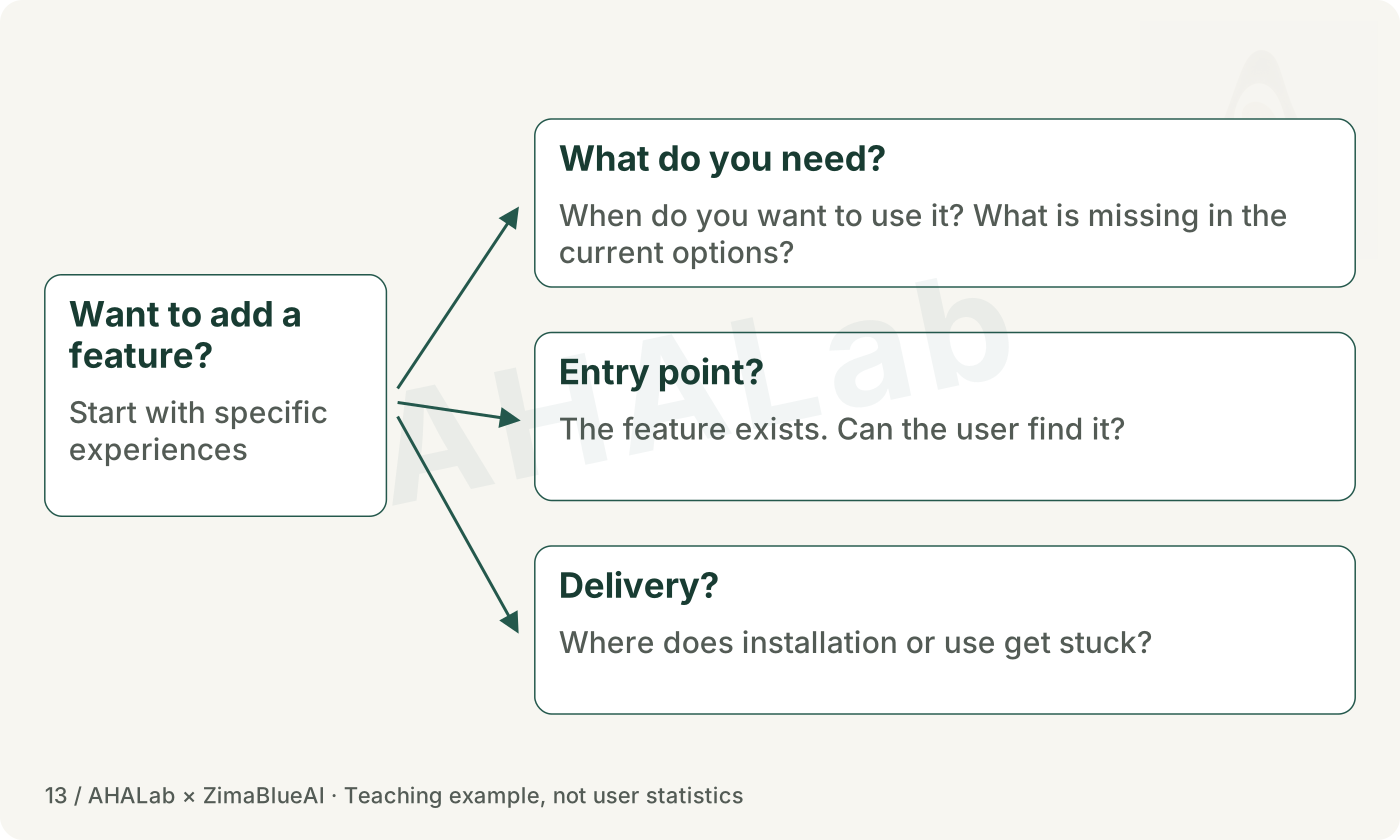
A request for a feature may point to an unmet need, a hard-to-find control, or trouble installing or using the app. Ask about the most recent experience before deciding what to change.
Teaching diagram · Click to enlarge
Pause here and write a few lines
Choose one piece of real feedback. If nobody has tried your idea yet, use the teaching example on the page and mark it as a rehearsal.
How will you tell a need, a navigation problem and a problem getting started apart? Do not present a rehearsal or your own guess as evidence from a user.
When tools can copy, what does a creator still decide?
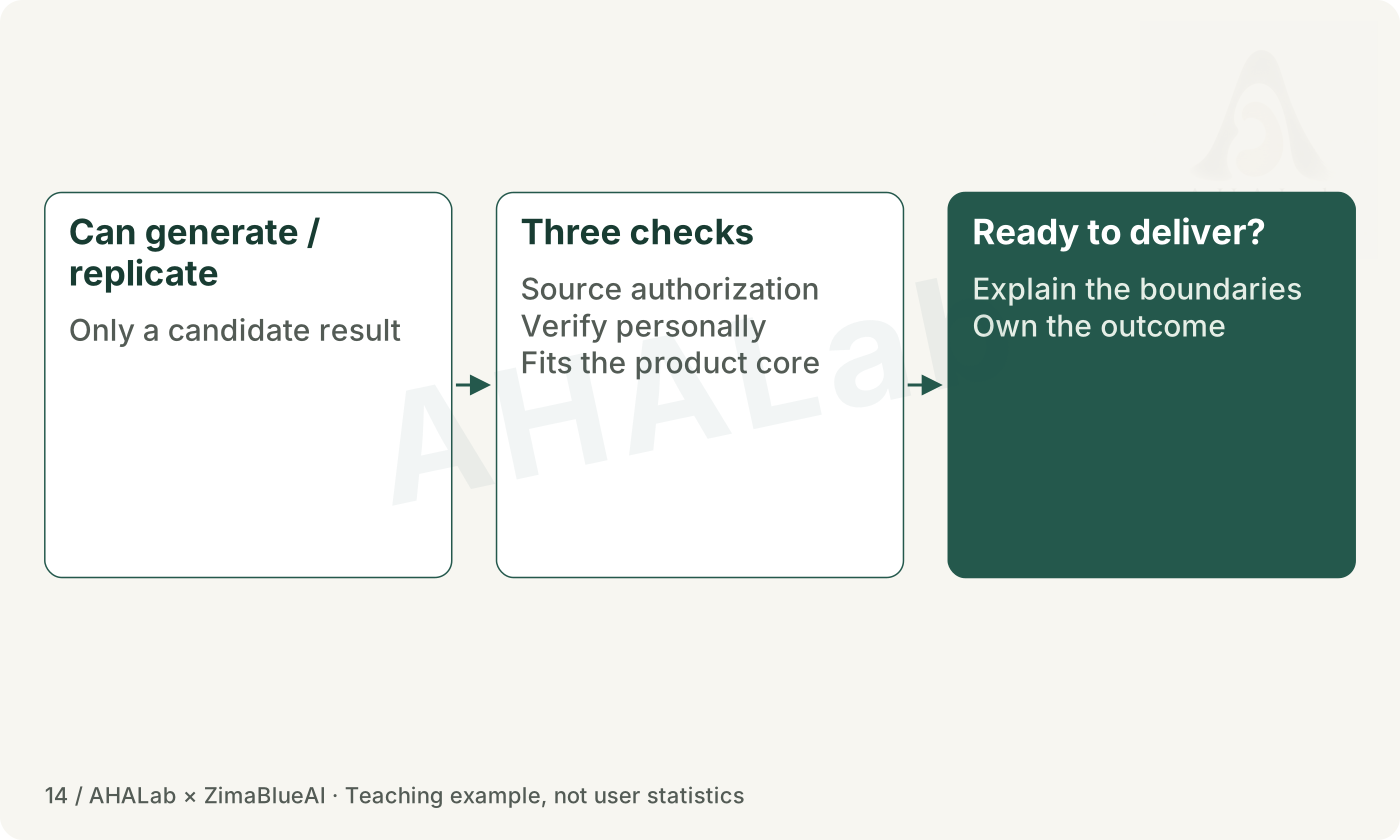
When tools can analyse and recreate things, someone still has to decide which materials to use, who the work is for, what to protect and whether the result works. A tool's licence does not give permission to use someone else's code, brand or data.
Teaching diagram · Click to enlarge
Pause here and write a few lines
Spend about 3 minutes judging one way of using a tool. Write down the permission needed and what you must check yourself.
Today we only read about the tools; we do not install them or reverse-engineer apps. Even when reusing components, explain your own need, choices and tests.
Make room for small commitments, and for starting again
Once you have chosen a small goal that matters to you, make starting easier. Put the materials ready, reduce one distraction, and set another time if you are interrupted. If the need turns out not to be there, allow yourself to stop for a reason.
Teaching diagram · Click to enlarge
Pause here and write a few lines
Write a cue for starting, one change to reduce distraction, and when you will return if you are interrupted.
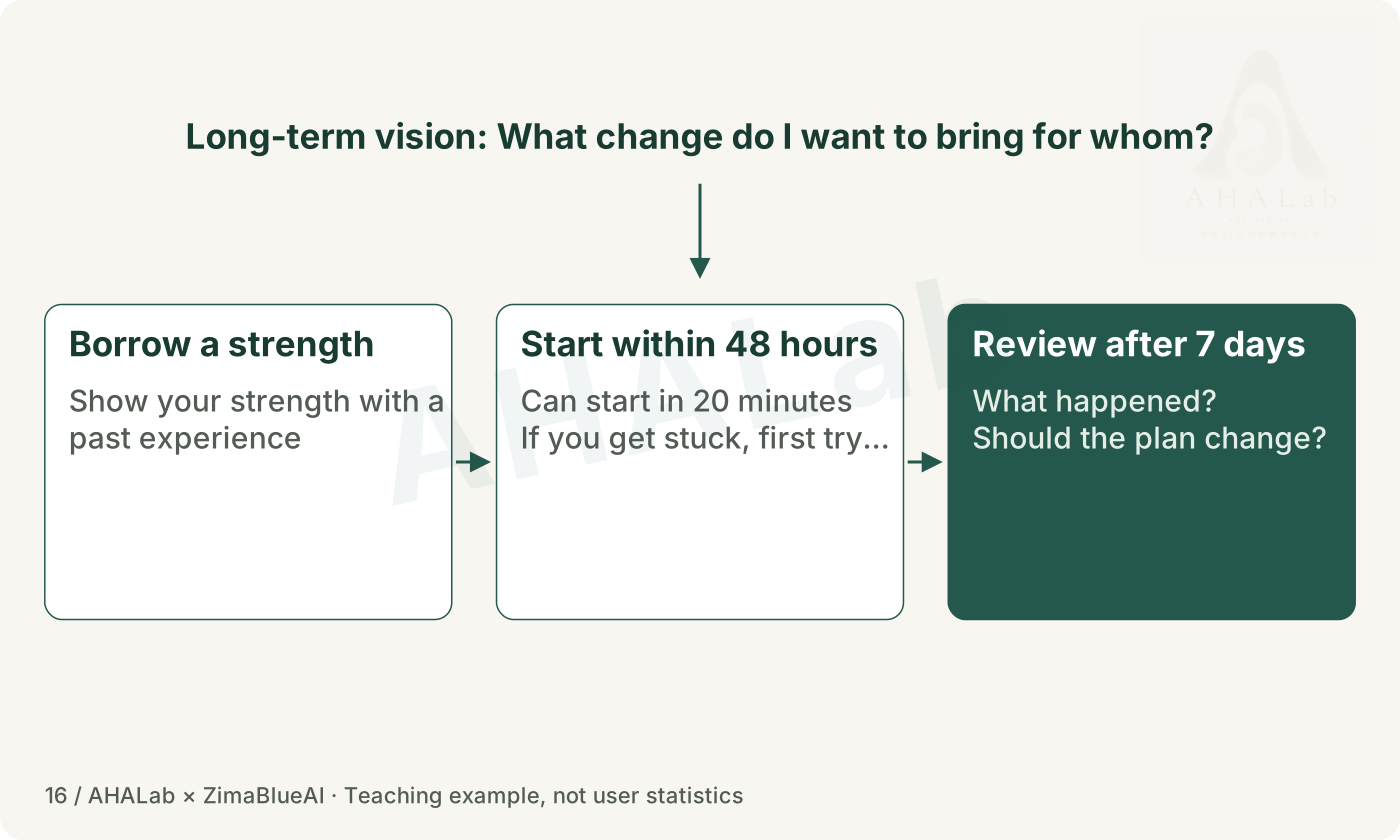
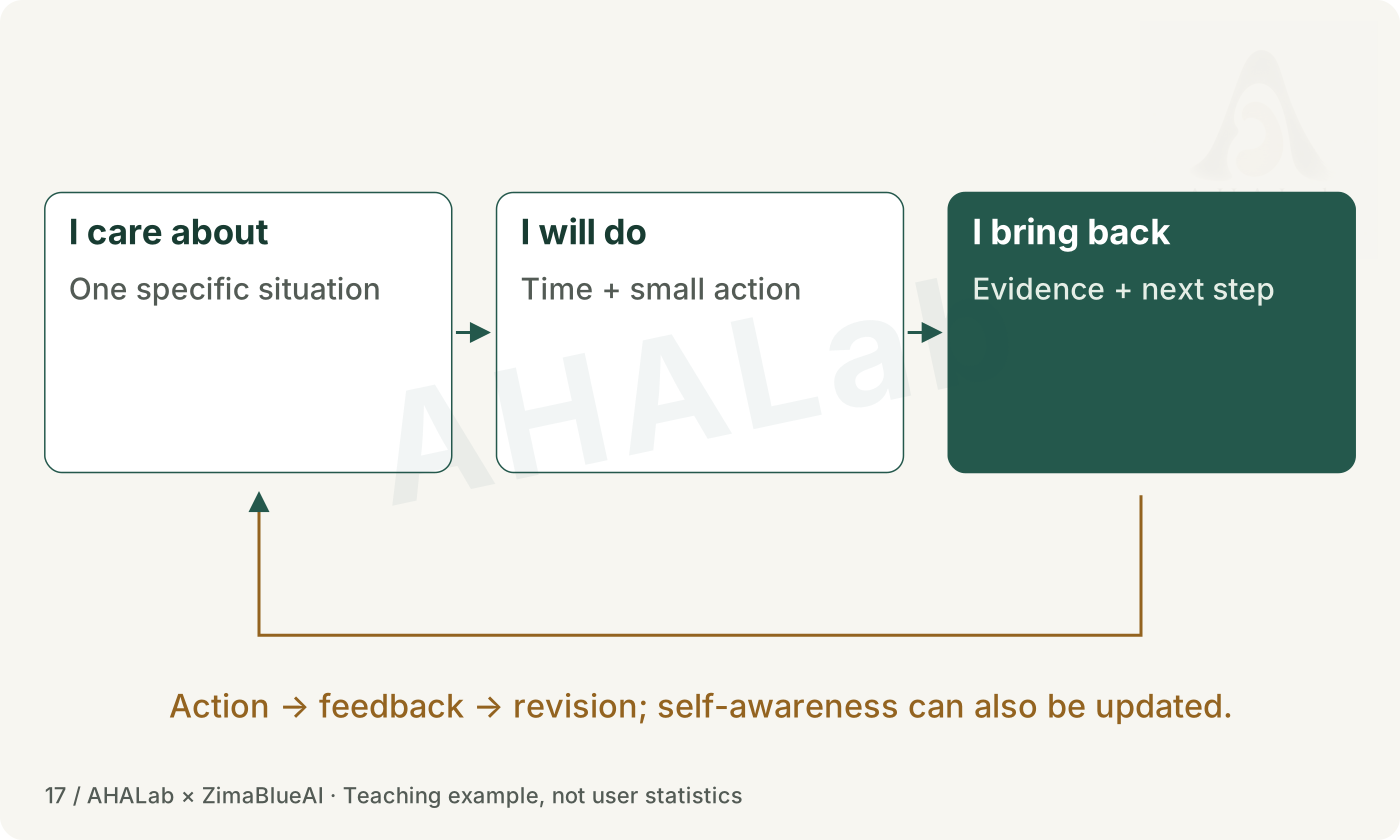
Leave one action you can start within 48 hours. Check back in seven days to see where it has taken your ideas.
16 / 17 · About 7 minutes
Keep a wider hope. Choose a smaller next step.
Now return to your own idea. Connect the person or situation, the assumption, the action, the time and the evidence. Fill in only what this attempt needs. Without a partner, use the self-check questions; you can ask for advice online later.
Teaching diagram · Click to enlarge
Pause here and write a few lines
Spend about 7 minutes on action card C. Plan something you can start within 48 hours, with one attempt taking about 20 minutes.
Is the action still as broad as 'research it' or 'build a platform'? Shrink it to one observation or demonstration. If you cannot reach someone, rehearse first and say clearly that it was a rehearsal.
The lesson pauses here; the project is about to meet everyday life. You do not need to have its long-term direction settled. Let one small action happen first. Come back after seven days with what you noticed, then decide whether to continue, change or pause.
Teaching diagram · Click to enlarge
Pause here and write a few lines
Write three sentences: what I care about; when I will do what; what evidence I will bring back.
After 48 hours, check whether you started. After seven days, look at the evidence and what to change. Finishing a reading step does not mean the project has been tested.