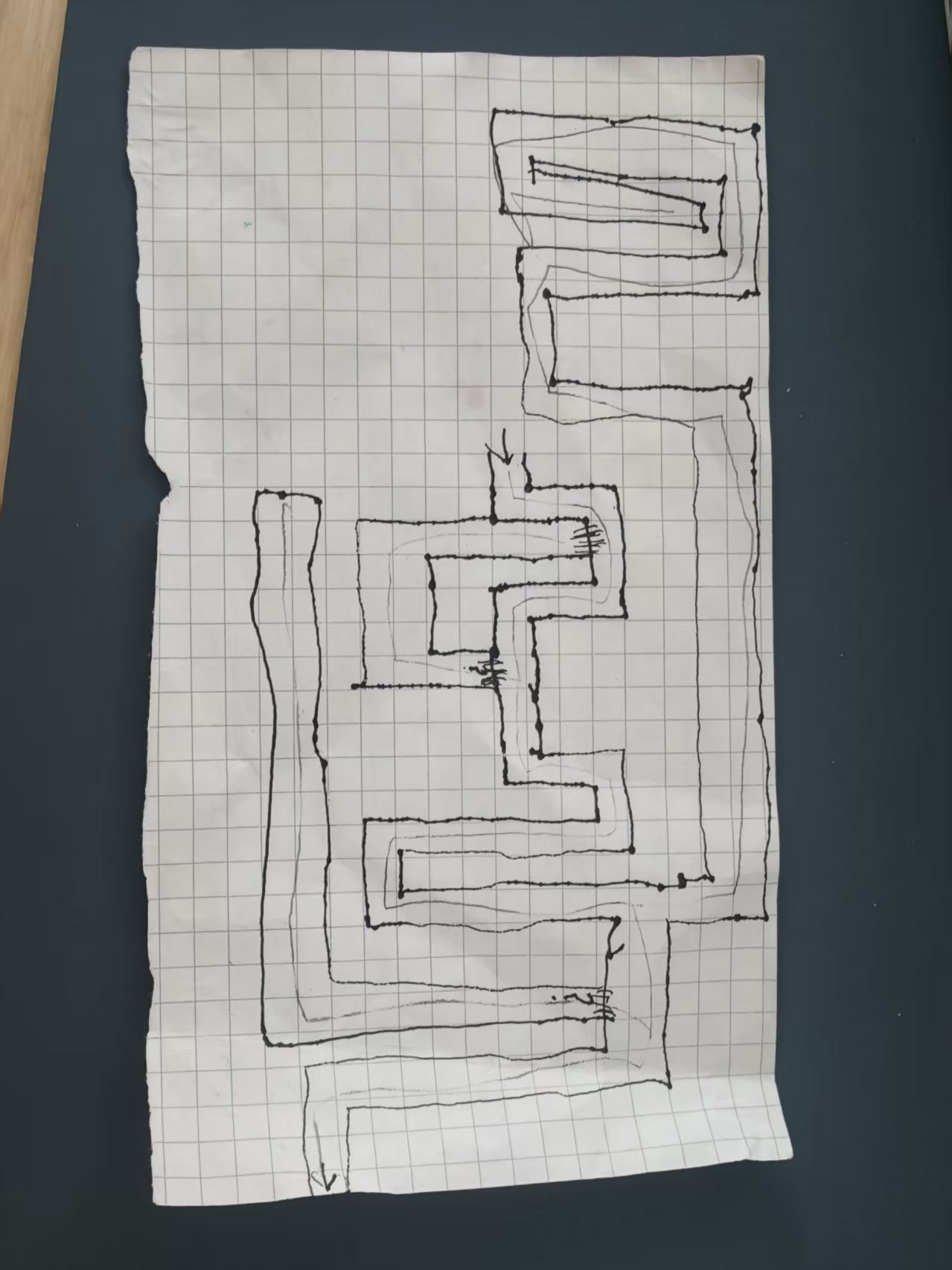
The maze game I drew
Real work examples of fellow designers · The first level is from her hand drawing
In Level 1, collect only 3 light crystals; there are no monsters. Find the ladder, climb up the wall, and you will see the exit door; walk along the top of the wall to reach the door to exit. Experience the area near the entrance for 90 seconds first, then switch operators. There is no requirement to complete the entire level in class.
Draw against the hand to see if the road is drawn correctly
The original manuscript of the young designer
Current level 1 · 25 columns × 43 rows
Green: Start · Gold: Light Crystal · Blue: Ladder · Purple: Door on top of the wall. For classroom reference only; there is no global map in the game.
This is a hand-drawn artificial grid interpretation of existing games. If the overlapping and horizontal bars of the original image are ambiguous, you can still ask a small designer to check them one by one; you cannot call another maze guessed by the model a reproduction of the original image. Preserve current route in accompanying JSON when cross-platform.
What does humans decide, and where does AI help?
- She drew the roads and decided what she wanted to play: first-person, collecting items, climbing ladders to find doors.
- Adults and AI write the rules into the program, adding textures, collisions, sounds, and effects.
- People actually playtested it and pointed out issues such as clipping through walls, exit location, characters, and subtitles, then continued to modify it.
- The student first said "I want to change...because...", and then asked an adult to operate the AI in the copied project, and then decided what to keep after trying it out.
The map editor currently in the classroom is a pre-written program. Clicking colors, painting walls and generating random levels does not mean calling AI every time.
How to access the class?
Follow the 60-minute main process: 23-27 minutes to experience the original hand-painted level; 30-40 minutes to use an independent small template to make V1; 40-54 minutes to mutually test and modify V2. If you want to demonstrate another AI tool to modify the game, replace the adult operation part of the 17-23 minute evidence display, prepare the open project before class; return to the local version before the generation is completed, so as not to crowd out the children's expression and mutual testing.
Open classroom screencasting and games online, or download printed materials from the course entrance.